2 minutes
Change the payment gateway on a failed payment
Use these instructions to switch the payment gateway after a failed payment attempt or when you want to pay a member through a payment provider after previously marking their time as paid.
Step 1
Click Financials on the sidebar menu and then select Payment records from the drop-down.
Step 2
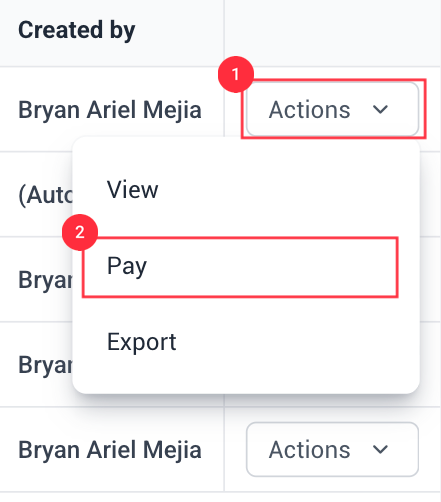
Next to the payment record, click the Actions button, and then click Pay.
Step 3
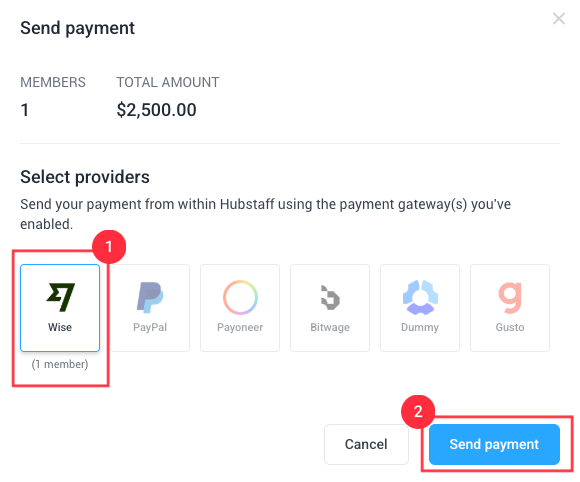
You should see a window where you will be able to select different payment gateways and select the icon of the payment gateway that you want to use. Then click the Send payment button to send the payment out for processing.
The payees need to have payroll enabled accounts for them to get paid.