3 minutes
Proof of Payments
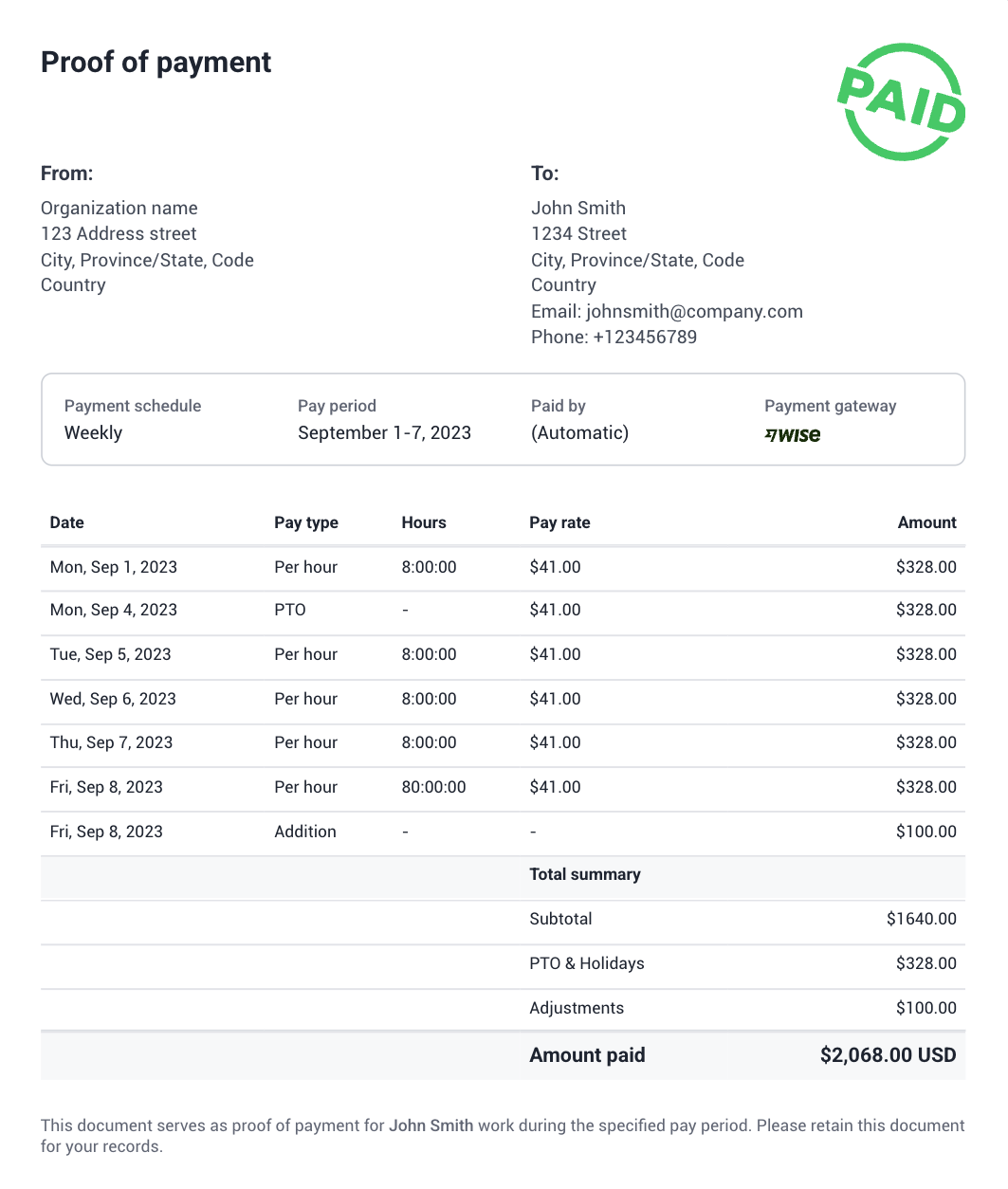
Team members who are paid through any of our payroll integrations can now receive a proof of payment PDF directly via email. This feature gives employees quick, convenient access to their payment records and provides official documentation they can use for banking, financial verification, or personal record-keeping.
The Proof of Payment feature is only available on the Team plan and up.
Only members paid through our payroll integrations (Wise, PayPal, Payoneer, or Bitwage) will have access to proof of payment documents.
Only members paid through our payroll integrations (Wise, PayPal, Payoneer, or Bitwage) will have access to proof of payment documents.
How to enable this feature
Step 1
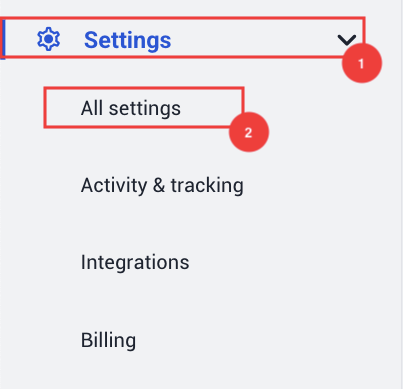
From the left-hand side menu, click on Settings > All Settings.
Step 2
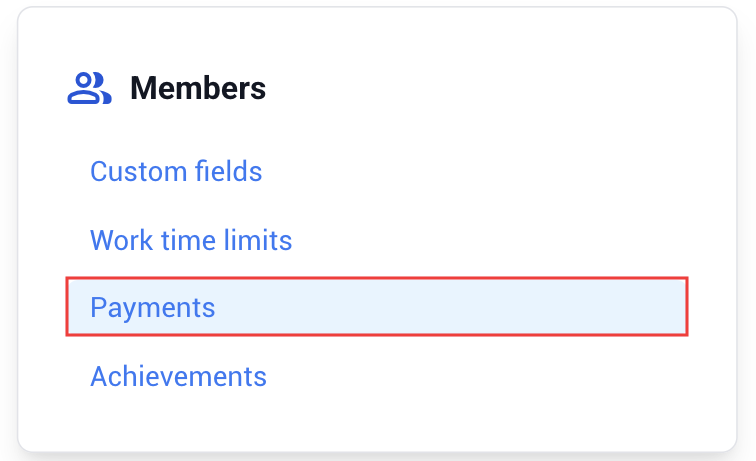
Then, go to Members > Payments.
Step 3
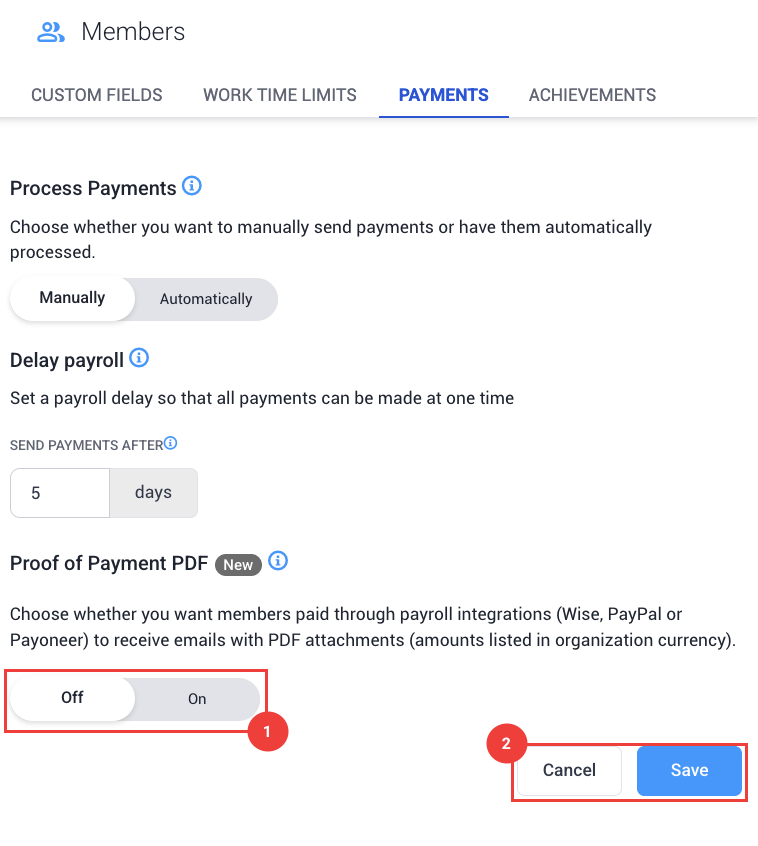
Enable the toggle under the Proof of Payment PDF feature and hit Save.
How it looks