The Hubstaff desktop applications enable precise customisation of time tracking behaviour through configurable system settings — inc. adjustment to startup preferences, window display behaviour, notification triggers, and activity monitoring parameters.
Such configurability guarantees adherence to preferred workflow demands.
Step 1
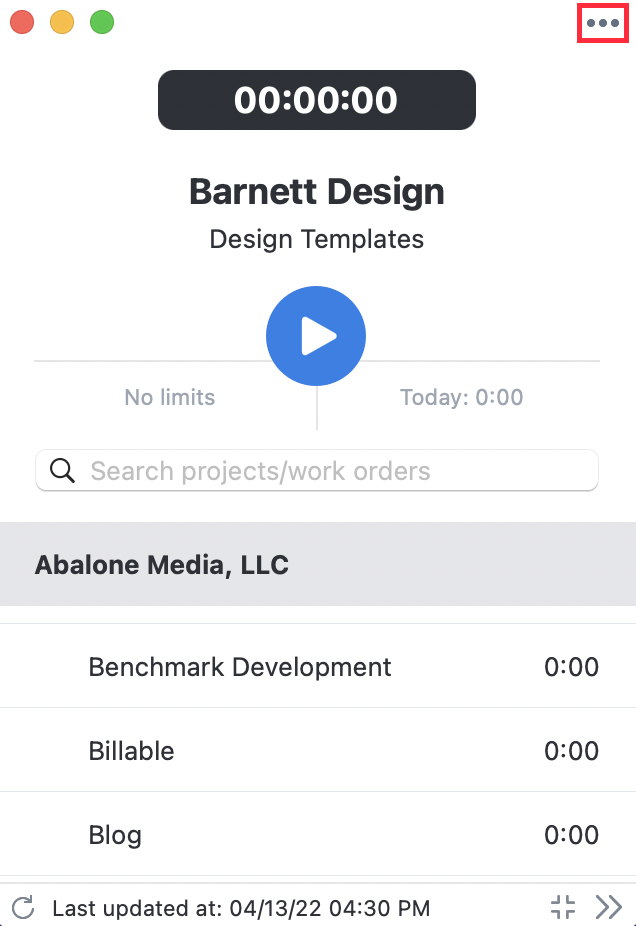
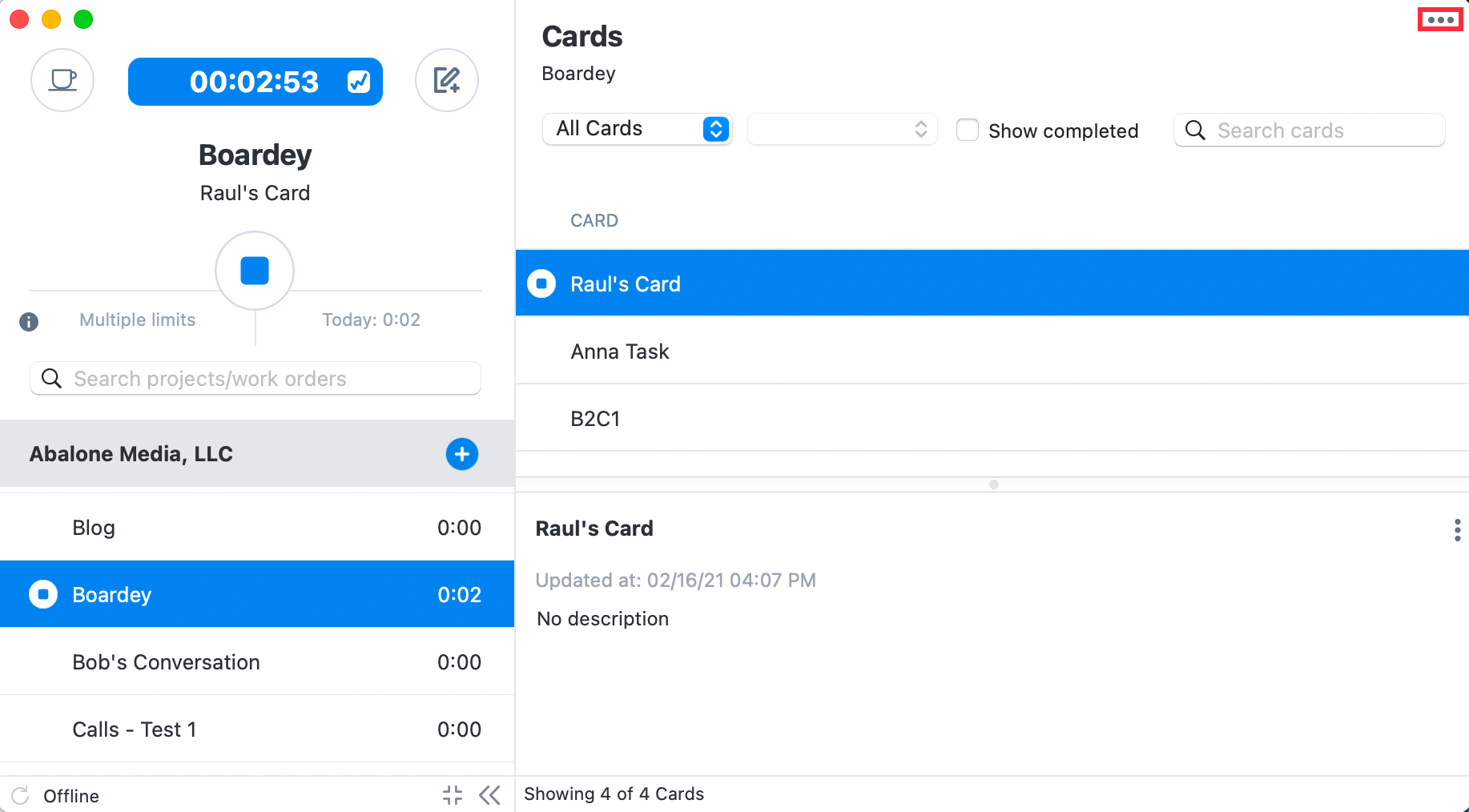
First, click on the menu […] icon located on the top-right corner of the app.
Step 2
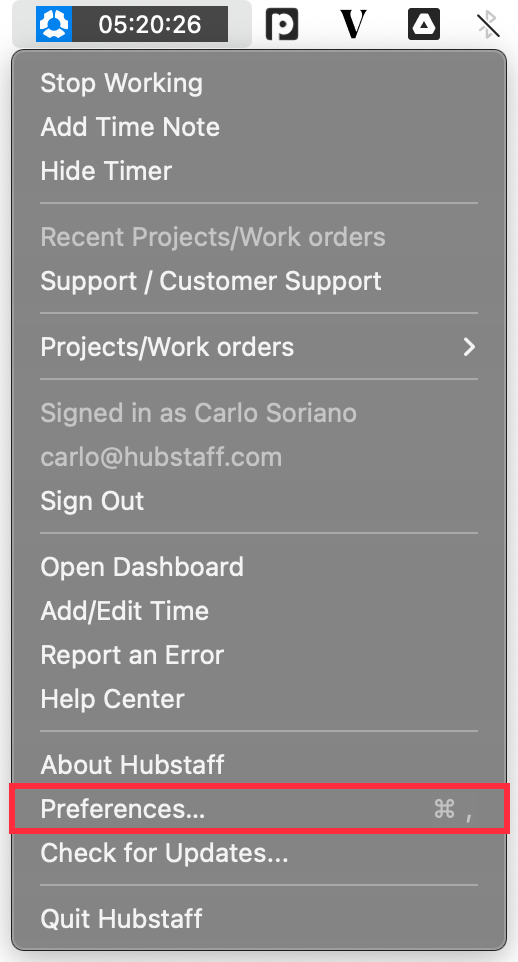
Select Preferences.
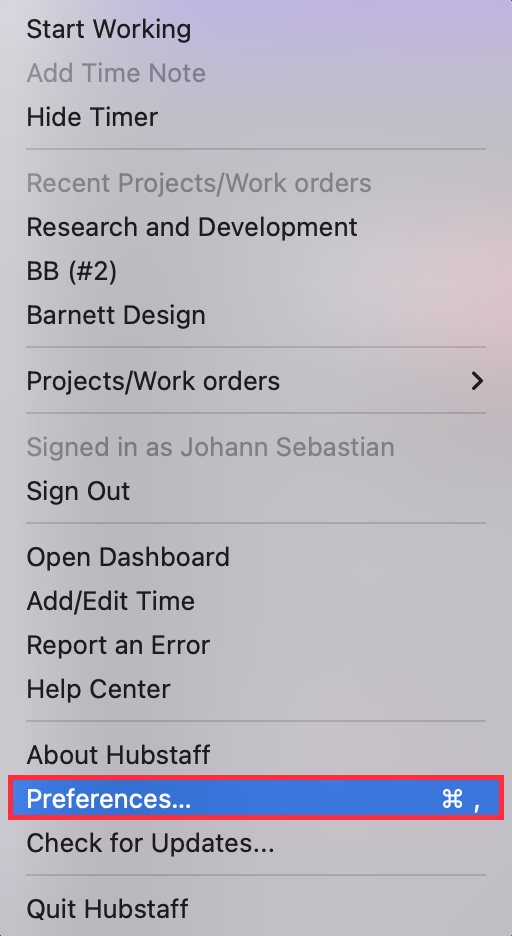
You can also click/right-click the Hubstaff icon in the system tray/taskbar to bring up the menu.
General Tab
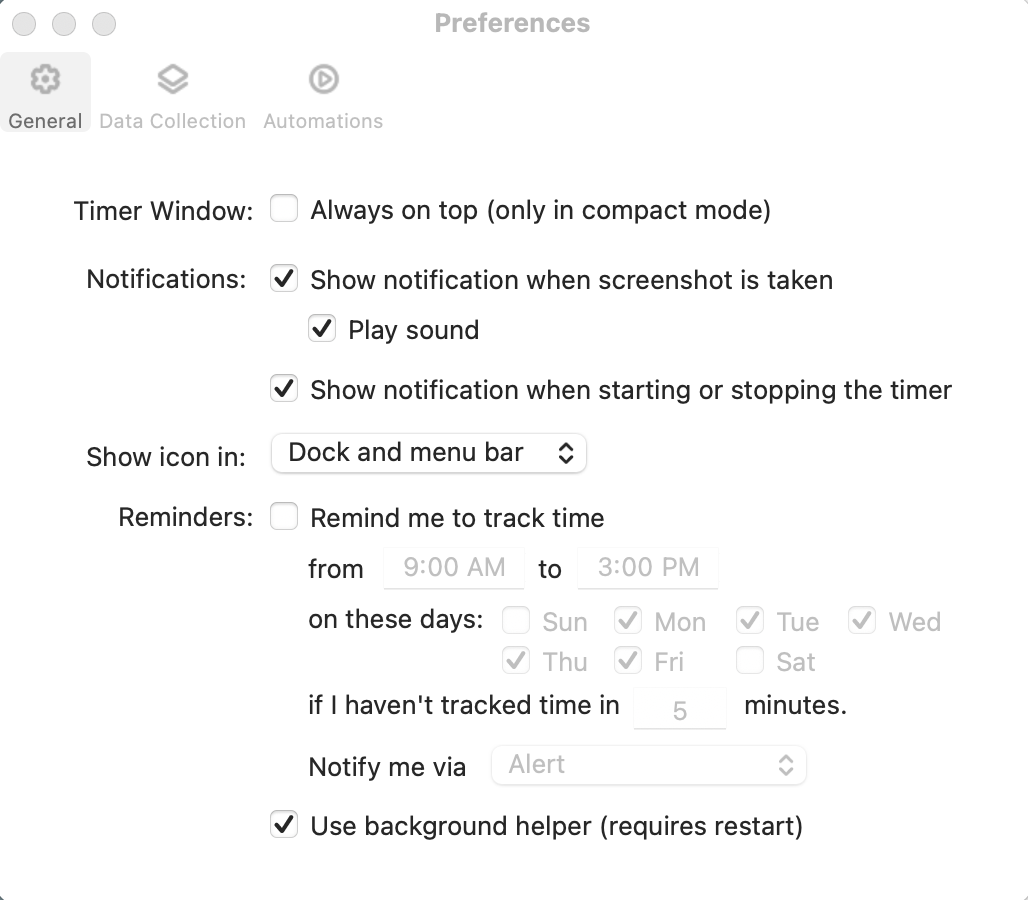
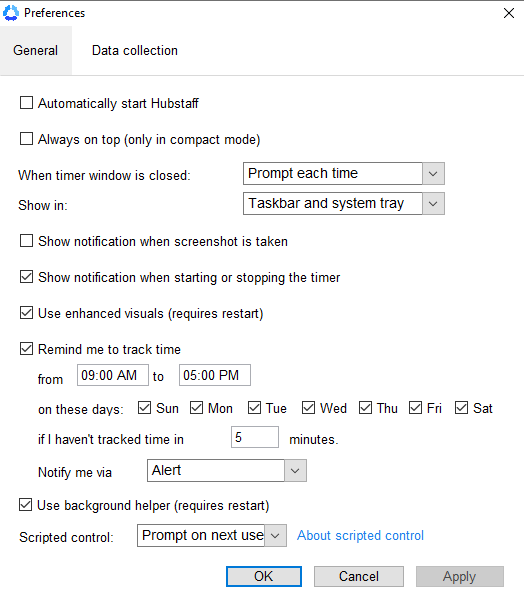
First, you’ll be presented with the General tab, where the following options will be displayed:
Windows options
- Automatically start Hubstaff — It initiates Hubstaff upon the device powering on.
- Always on top — It ensures the Hubstaff remains on top of other applications in compact mode.
-
- When the timer window is closed — It defines an action upon selecting the “X” button:
-
- Prompt each time — It provides the user the option to minimise or exit Hubstaff.
- Minimise — It minimises Hubstaff.
- Quit Hubstaff — It stops and closes Hubstaff.
-
- Show in — It dictates where Hubstaff is displayed:
-
- Taskbar and system tray — It displays Hubstaff’s active window on the taskbar and a Hubstaff icon in the system tray.
- Only in the system tray — It displays only the Hubstaff icon in the system tray.
-
- When the timer window is closed — It defines an action upon selecting the “X” button:
-
- Show notification when a screenshot is taken — It manages the enabling or disabling of alerts upon screenshot capture.
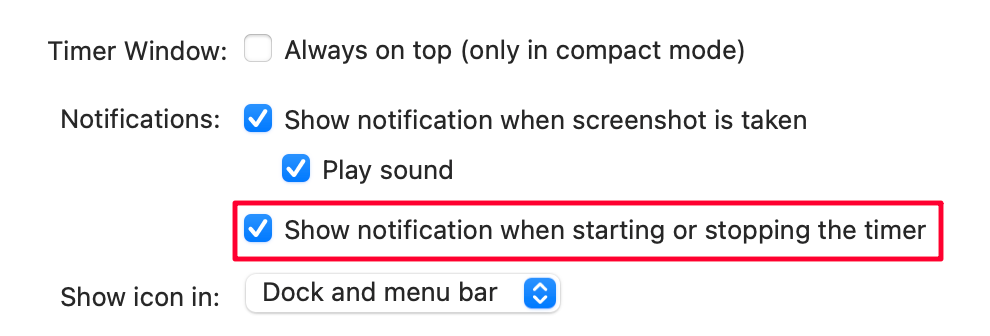
- Show notification when starting or stopping the timer — It manages the enabling or disabling of alerts upon the start or stop of Hubstaff.
- Use enhanced visuals — It enhances Hubstaff’s UI visuals. You need to restart the app for the changes to take effect.
- Remind me to track time — It sends alerts if time tracking has not started.
- Use background helper — It records additional activities, such as App and URL tracking. You need to restart the app for the changes to take effect.
- Scripted control — It permits remote access to Hubstaff for administrators and users.
MacOS options
- Timer Window: Always on top — It ensures the Hubstaff remains on top of other applications in compact mode.
- Notifications: Show notification when a screenshot is taken — It manages the enabling or disabling of alerts upon screenshot capture.
-
- Play sound — It toggles an audible alert alongside the screenshot notification.
-
- Notifications: Show notification when starting or stopping the timer — It manages the enabling or disabling of alerts upon the start or stop of Hubstaff.
-
- Show icon in — It controls where the Hubstaff application icon is displayed.
-
- Dock and menu bar — It shows the Hubstaff icon in both the dock and the menu bar.
- Only in menu bar — It hides the Hubstaff icon from the dock and keeps it solely in the menu bar.
- Only in dock — It removes the Hubstaff icon from the menu bar and displays it only in the dock.
-
- Show icon in — It controls where the Hubstaff application icon is displayed.
-
- Reminders: Remind me to track time — It sends alerts if time tracking has not started.
- Use background helper — It records additional activities, such as App and URL tracking. A restart is required for changes to take effect.
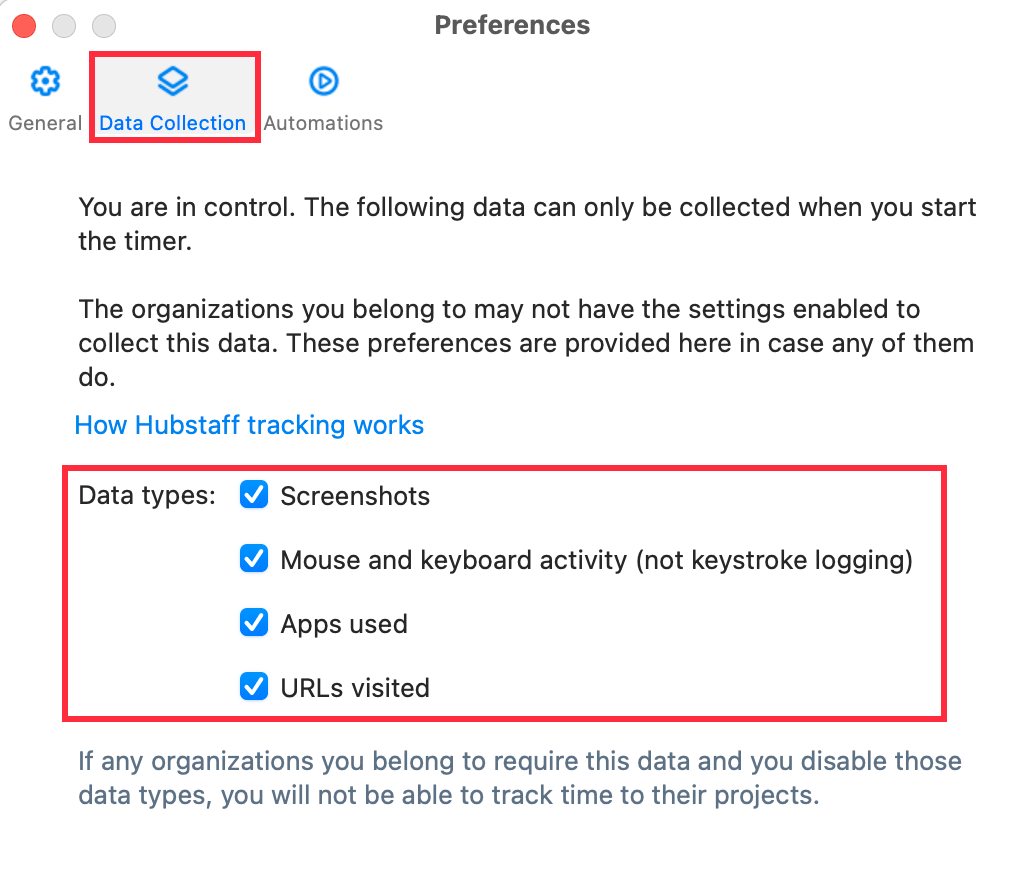
Data Collection Tab
Use the Data Collection tab on the Preferences and Settings page to configure what type of information the system records while tracking time.
On Windows and Linux:
After selecting your preferences, you can then click the Apply button and OK for these settings to take effect.
How to turn off Start/Stop notifications in the desktop application
During your working hours, members may find it more convenient to turn off the notifications and not distract themselves or other people around when working with the Hubstaff Time Tracker. To turn the start/stop notifications off for the desktop application follow the steps below.
Step 1
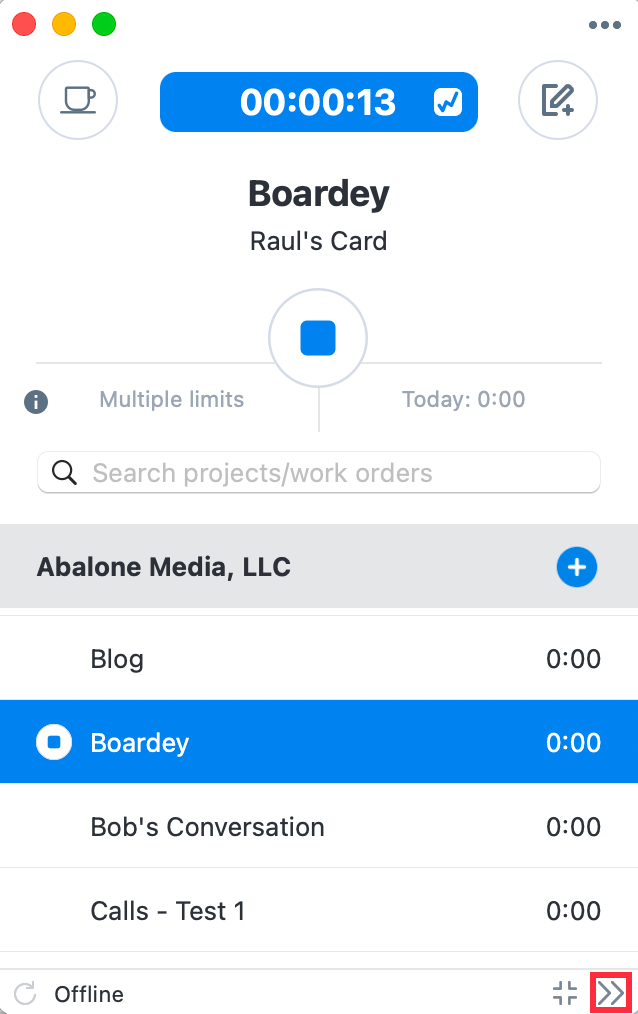
Open the desktop application, navigate to the icon >> in the low right corner and click it.
Step 2
Once extended, press the Three dots icon to open the menu.
Step 3
Choose Preferences.

Step 4
Uncheck the Show notification when starting or stopping the timer field and click OK.