4 minutes
Unsubscribing from email notifications in Hubstaff
Hubstaff allows you to unsubscribe from organizational or transactional email communications (i.e., invitations, integrations, attendance, and educational emails).
For instance, if a member requests to join your organization, you’ll receive an email letting you know about the request.
Unsubscribe via email
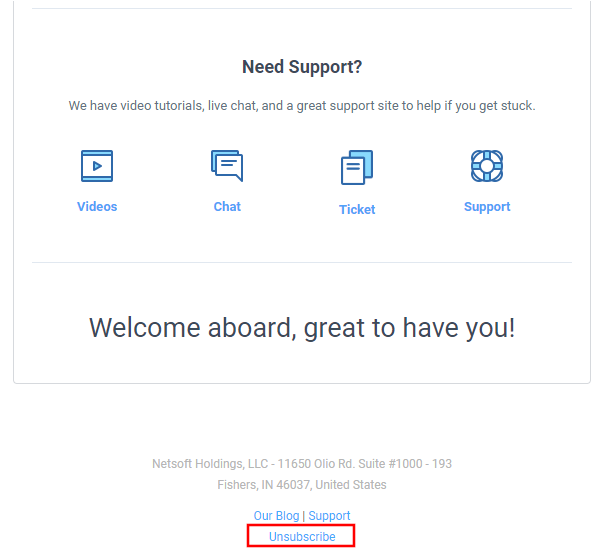
Hubstaff optional emails will have an Unsubscribe link towards the bottom, which allows the recipient to stop receiving these notifications.
To learn how this works, follow the steps below:
Step 1
Click the Unsubscribe link in the email.
Step 2
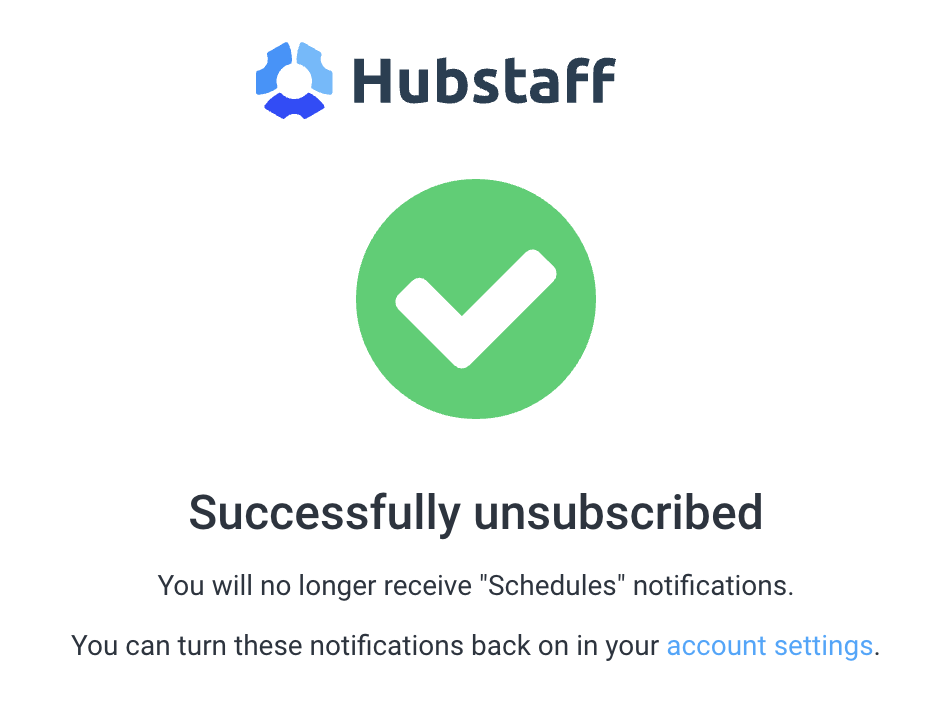
You will be taken to a confirmation page, which will let you know the type of emails you unsubscribed from. Also, you can click on the account settings link on the confirmation page to access your notification settings.
Enabling or disabling notifications on the user settings page
You can also access your notification settings by clicking your avatar picture in the top-right corner, then on User settings & billing.
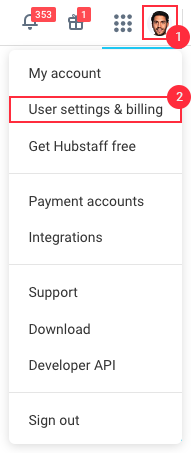
Click on Notifications, and you will be able to see which email notifications you wish to enable/disable.

