4 minutes
Print Payments to PDF
Can I export my payments to PDF so I can print a record of the payments I’ve sent?
Yes, you can turn your payments into a PDF and then print them. To do this, you may follow the steps below:
Step 1
You can view a list of your past payments by clicking on Financials on the sidebar, then on Payment records.
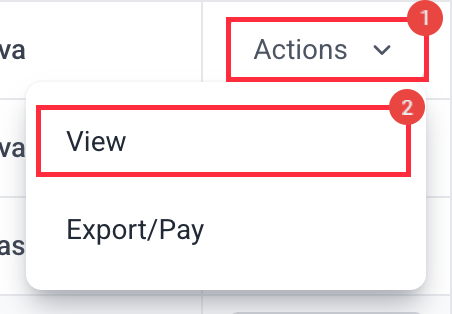
There, you will see a list of the payments you have created for the selected date range. Next to the payment you wish to print, click on Actions and then View.
Step 2
On the payment record detail page, click on the Switch to the legacy view link at the top.

Step 3
The Legacy Payment Records page will open. Click Print to continue.

If you have selected to print and are using Firefox or Internet Explorer, choose Microsoft XPS Document Writer – this will output the payment in an XPS file:
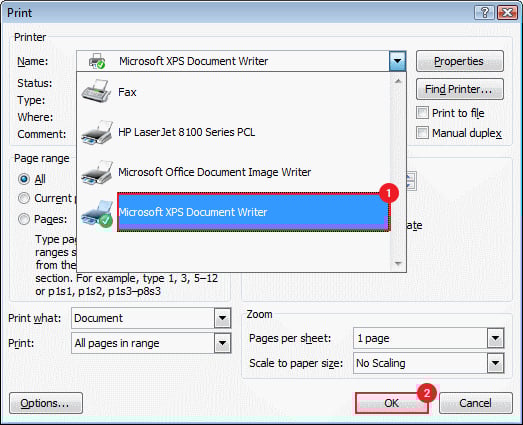
An XPS file is very similar to a PDF, but you can easily convert the file to PDF through a site that converts XPS files to PDF.
If you are using Chrome, you can simply select the option to save the file as a PDF on the print dialog:
