Hubstaff now offers the opportunity for you to award your team members with Achievements. Using achievements is a great way to incentivize your team to perform at their very best. This encourages friendly competition amongst team members, increases productivity, and motivates them to hit metrics.
What achievements are available?
 |
Efficiency pro – This achievement badge is given to members who meet their activity goals every day. For example, if their goal is to achieve a 50% activity percentage on average per day, they will receive this badge if they hit that target. | |
 |
Productivity champ – This achievement badge is given to members who complete their weekly To-dos goal. For example, if you set their goal to “5”, the team member will receive an award if they complete 5 To-dos by the end of the week. | |
 |
Time hero – This achievement badge is given to team members who meet or exceed the designated number of working hours that are set as their goal target at the end of each week. |
Hot streaks: Members who achieve their targets multiple days or weeks in a row can achieve “hot streaks”.

How to enable achievements
To enable Achievements, navigate to the Settings wheel on the main navigation menu, then click All Settings:

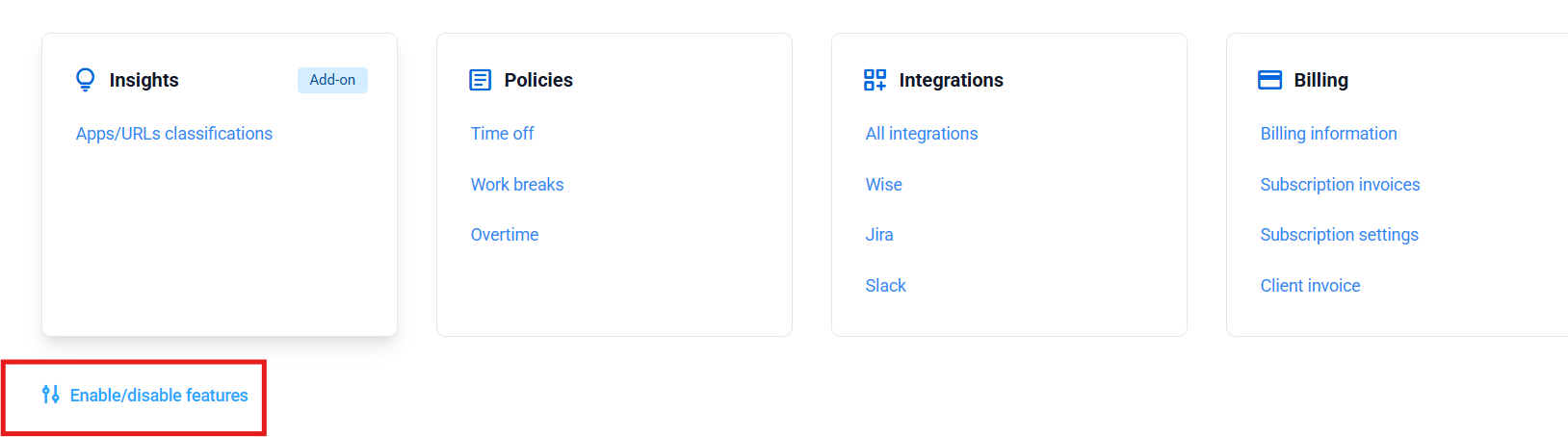
Then, scroll down the page and click on Enable/disable features:
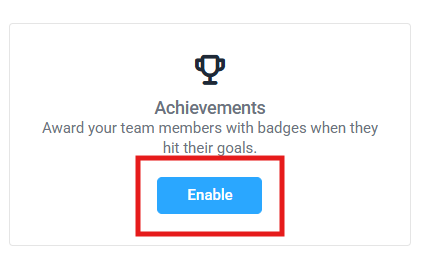
Then, click the Enable button under Achievements:
Achievement Settings
You can define the achievement metrics for your team from the Achievements Settings page.
Step 1
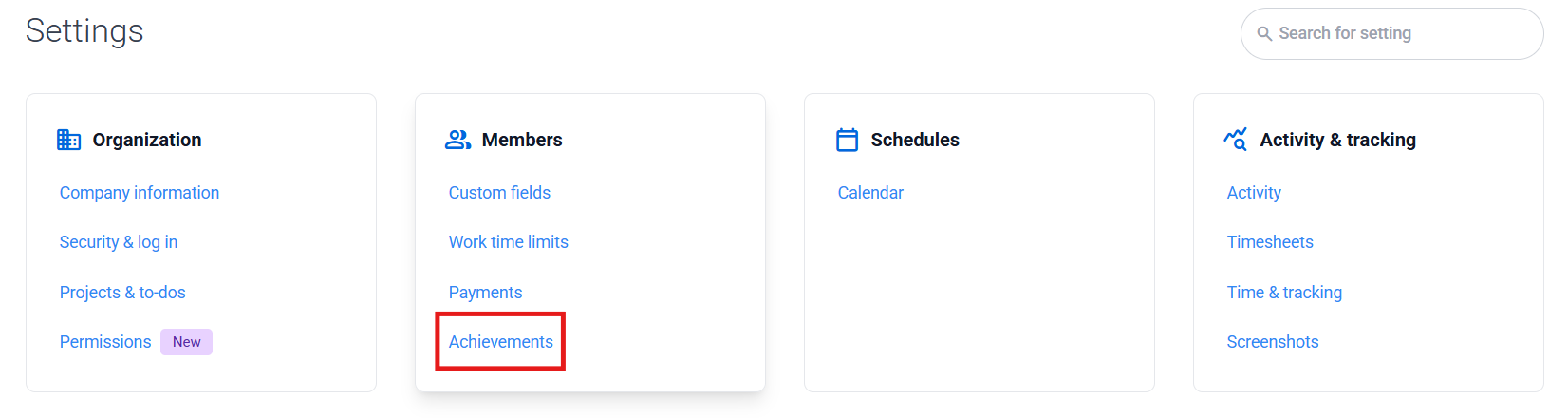
Select Settings from the main navigation menu, then under the Members category, click on Achievements.
Step 2
Define the settings for the Achievement that you wish to assign to your team.
Efficiency pro
You can set the daily activity level goal for your team members in the Efficiency Pro section.
- Default setting: If you wish for all of your team to have the same activity level goal, please define it under the ACTIVITY GOAL field. Once the number is entered, please press the Apply to all button (2).
- Individual members: You also have the option to pick and choose specific members to have an activity goal. This setting is useful if you do not wish for all members of your team to have an activity goal. Simply select the toggle (3) to activate the Efficiency pro goal for those members.
- Individual members: You can also select custom activity goals for specific team members. When the toggle is selected, the goal for the user’s activity level will be defined by the Activity goal field (4) under the Individual settings section.

Productivity champ
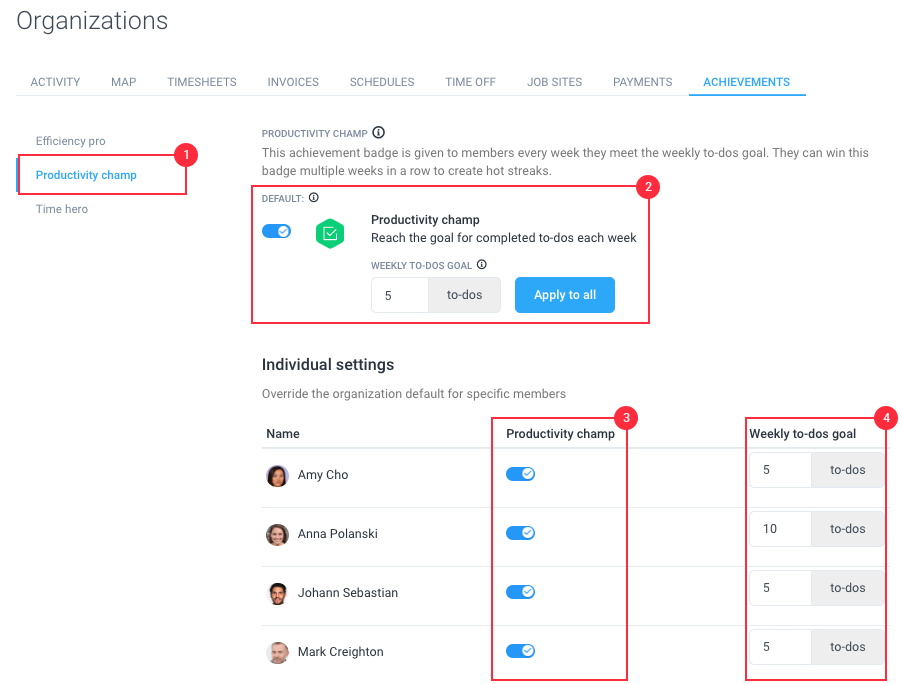
You can set the weekly To-dos goal for your team members in the Productivity champ section.
- Default setting: If you wish for all of your team to have a default To-dos goal, please set it under the WEEKLY TO-DOS GOAL field. Once the number is entered, please press the Apply to all button (2).
- Individual members: You also have the option to pick and choose specific members to have a To-dos goal. This setting is useful if you do not wish for all members of your team to have a To-dos goal. Simply select the toggle (3) to activate the Productivity champ goal for those members.
- Individual members: You can also select custom To-dos goals for specific team members. When the toggle is activated, the To-do goal will be defined by the Weekly to-dos goal field (4) under the Individual settings section.
Time hero
You can set the weekly hours goal for your team members in this section.
- Default setting: If you wish for all of your team to have a default weekly hours goal, please set it under the WEEKLY HOURS GOAL field. Once the number is entered, please press the Apply to all button (2).
- Individual members: You also have the option to pick and choose specific members to have a weekly hours goal. This setting is useful if you do not wish for all members of your team to have a weekly hours goal. Simply select the toggle (3) to activate the Time hero goal for those members.
- Individual members: You can also select a custom weekly hours goal for specific team members. When the toggle is activated, the weekly hours goal will be defined by the Weekly hours goal field (4) under the Individual settings section.

How are achievements awarded to your team?
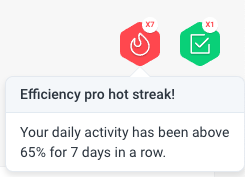
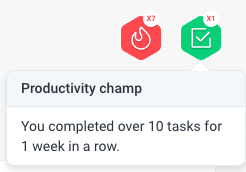
If a team member achieves an award, a badge will be displayed at the top right-hand side corner of their Dashboard. When they hover their cursor over the badge, a notification will tell them what they were awarded for. Please see the screenshots below which demonstrates how the awards will be displayed on a user’s Dashboard:
Efficiency pro
Productivity champ
Time hero

Email notifications
If a team member achieves their daily goal, they will be sent an email notification congratulating them on hitting their target. Please see the following example screenshots below:
Efficiency Pro

Time Hero

Weekly Summary Emails
Emails summaries are also sent to the organization owner at the end of the week. These emails summarize the awards achieved by the members of an organization for the entire week.Please see an example screenshot demonstrating how this is laid out below: